Two business tools I set up and adapt for clients, so a small team can stop paying per seat for software it barely shapes, and two personal projects. Every demo runs in your browser with fictional data: click around, change things, nothing leaves this page.
01 · Business tool · set up for clients
CRM
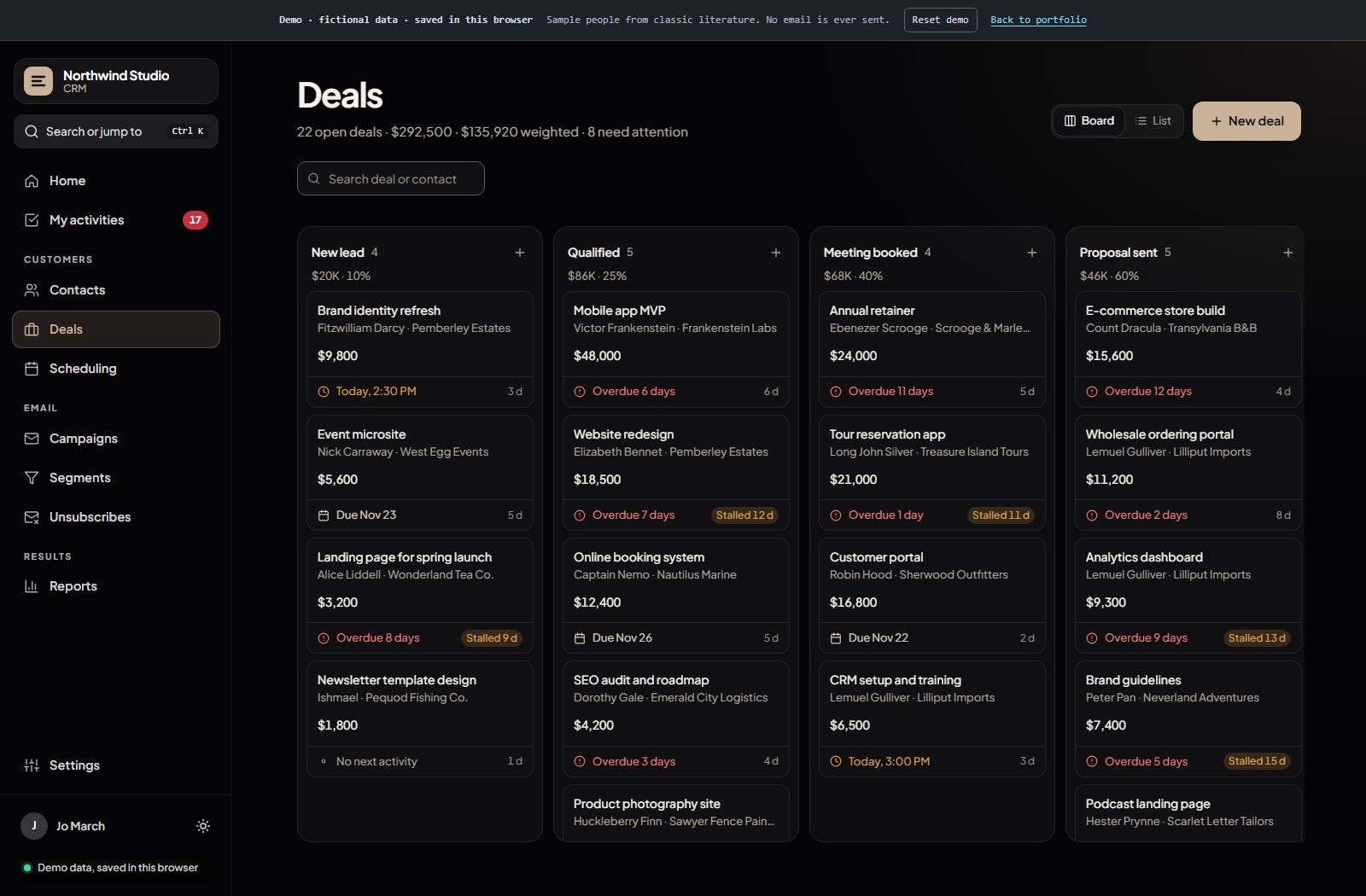
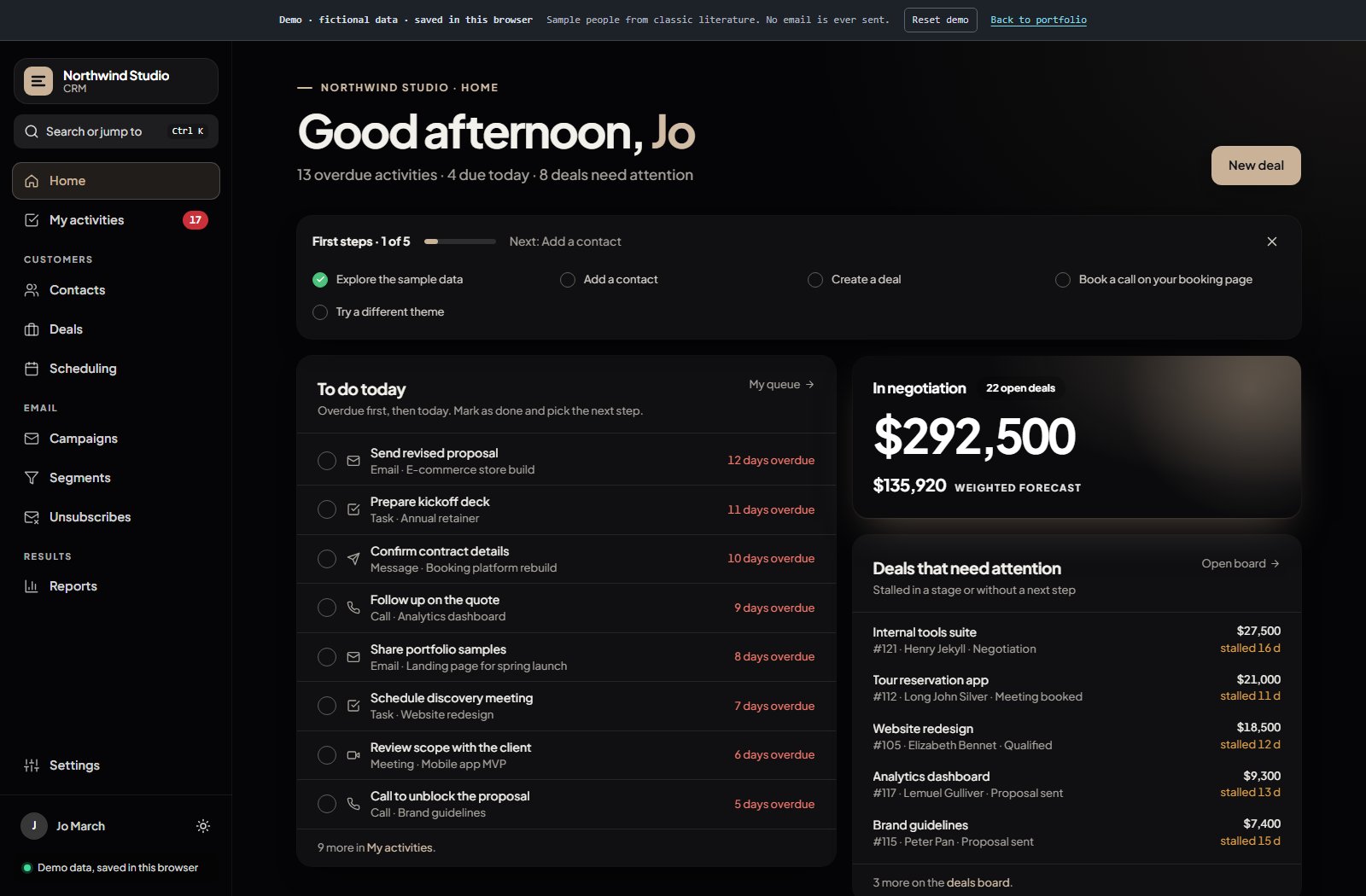
YOUR SERVER OR COMPUTER · NO PER-SEAT FEESDeal board: value per stage, overdue follow-ups and deals that stalled.Home: what to do today, overdue first, and the deals that need a next step.
What it replaces
A small team often pays every month, per user, for a CRM, a scheduling tool and an email tool, and keeps its customer data spread across all three. This puts contacts, deals, booking, campaigns and reports in one place, with the data kept by the business.
What you can try
Drag a deal to the next stage. Book a call on the public booking page and watch it land on the calendar and the contact's timeline. Draft a campaign. Then switch the look in Settings to feel like HubSpot, Pipedrive, ClickUp or Notion.
How I adapt it
Your pipeline stages, fields, wording and brand; import from your current CRM or a spreadsheet; your email provider and calendar; hosting on your server or computer. Starting from a ready base means the time goes into your process, not into rebuilding a CRM.
Demo with fictional data (characters from classic literature), saved only in this browser. No email is sent.
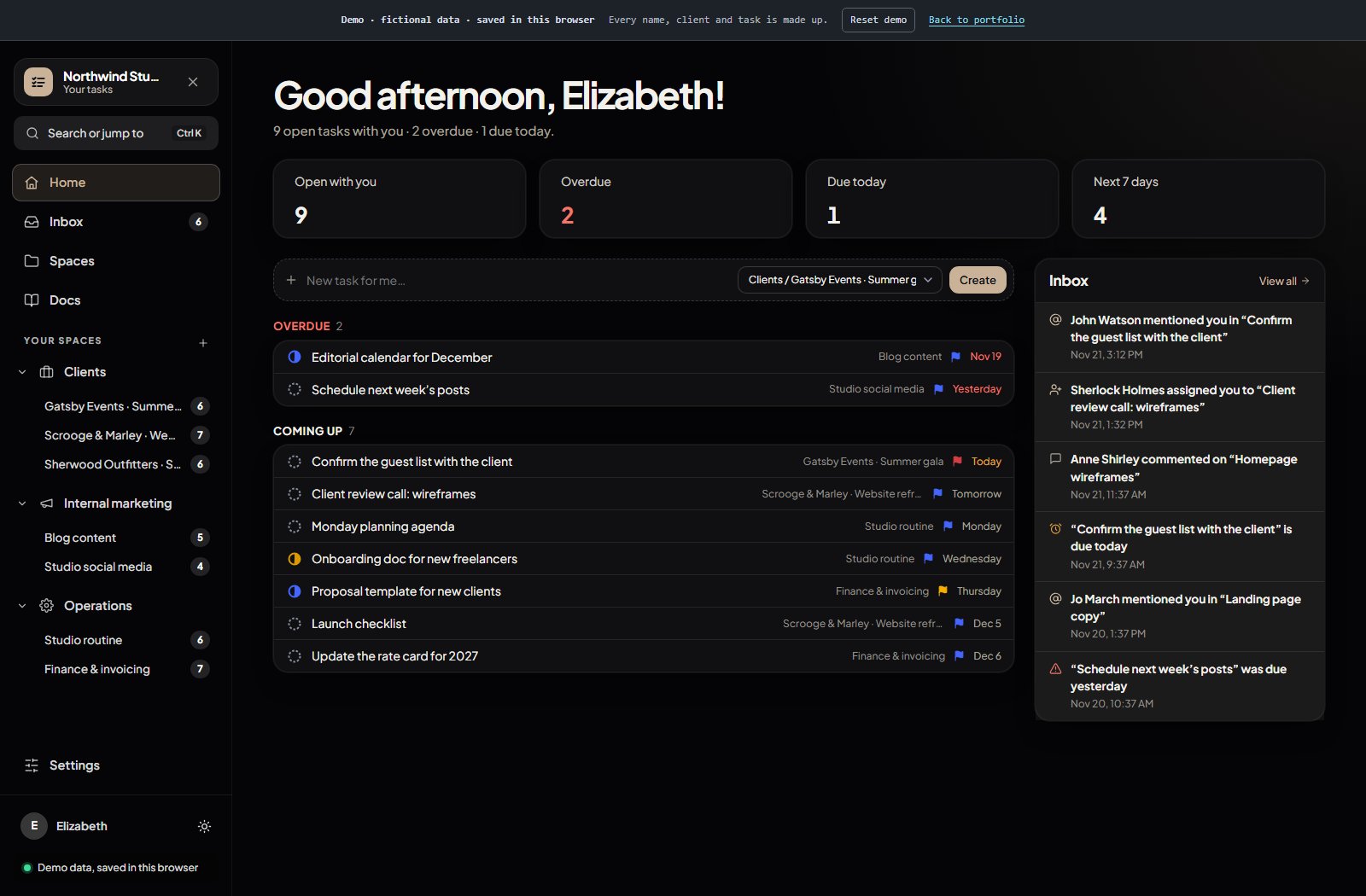
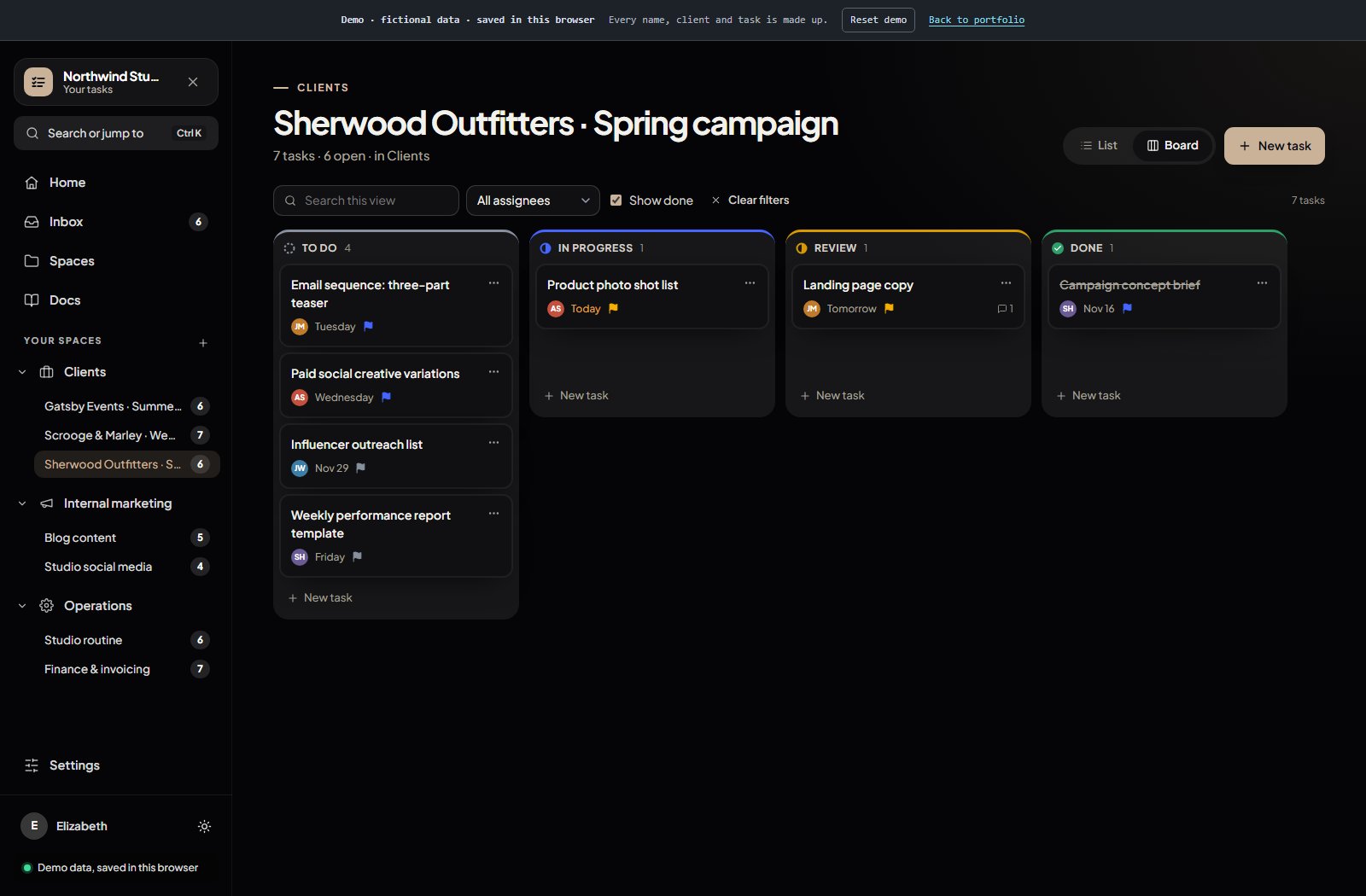
YOUR SERVER OR COMPUTER · NO PER-SEAT FEESHome: your open, overdue and upcoming tasks next to mentions and assignments.Board view of a client project: drag tasks between statuses.
What it replaces
Project tools charge per seat, so adding a freelancer or a client to a project raises the bill. This keeps spaces, lists, boards, docs and an inbox for the whole team without per-user pricing.
What you can try
Open a client list, switch to Board and drag a task to Review. Open a task, tick a subtask and @mention someone in a comment. Then try the look that feels like ClickUp, Notion or Asana.
How I adapt it
Your spaces, statuses and fields; import from your current tool; connections to Slack and email; your brand and wording. Same approach: a ready base, adjusted to how your team actually works.
Demo with fictional data (characters from classic literature), saved only in this browser. No email is sent.
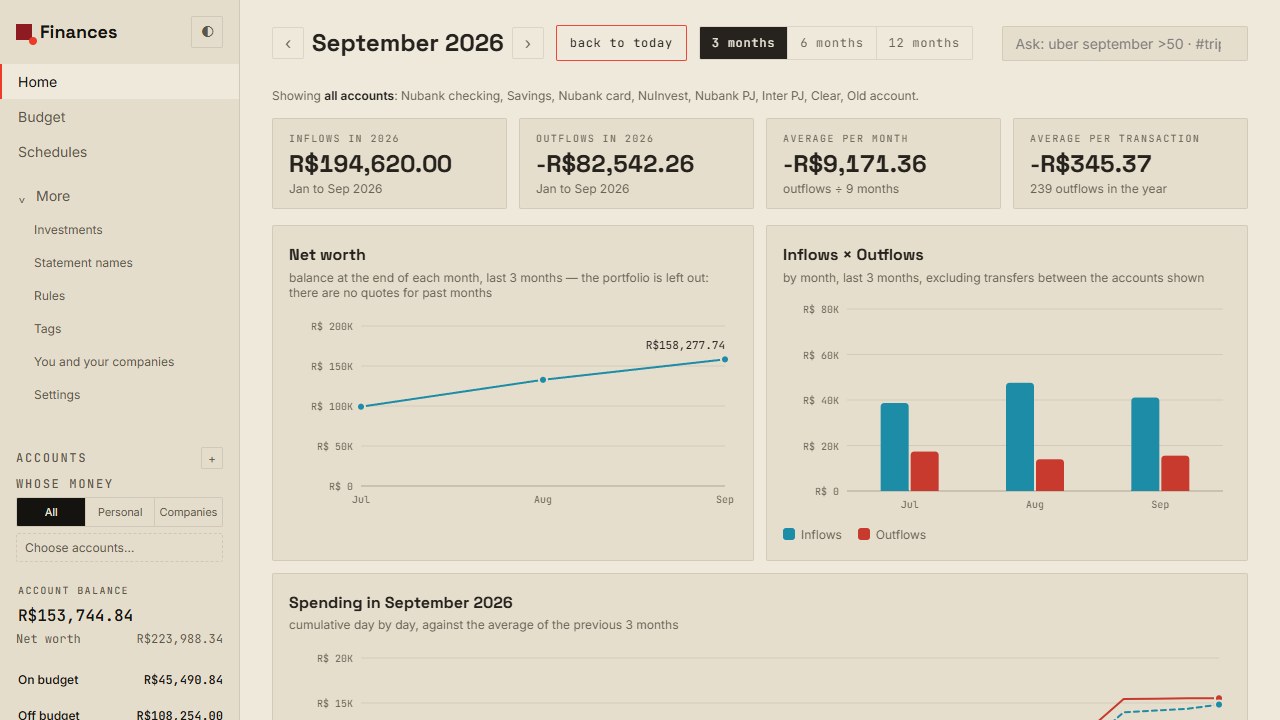
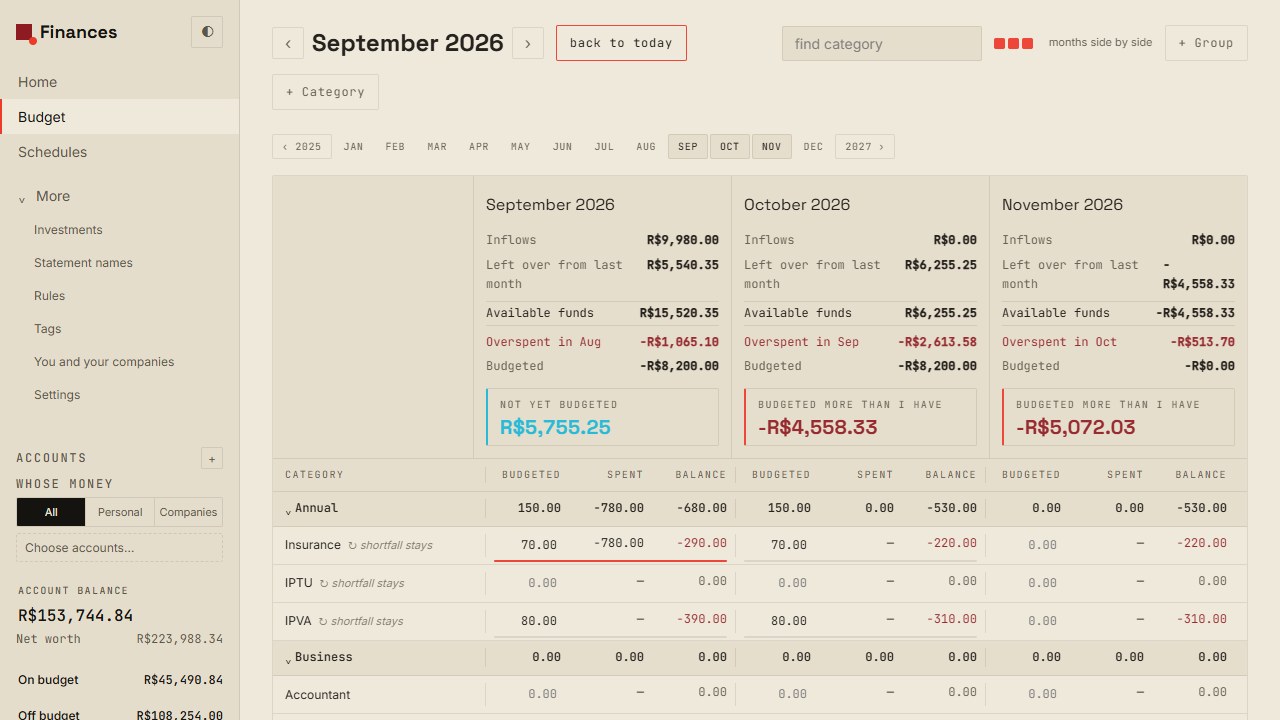
LOCAL APPLICATION · NODE + JSONSeptember 2026 home dashboard with fictional net worth, income, and expense data.Category and month budget; demo values are fictional.
Personal finance application originally built in Node.js: budgeting, accounts, and investments in a local app with JSON files on disk. The JavaScript engines for budgeting, transactions, and investments are shared between browser and server. The budgeting rules were reimplemented after studying Actual Budget; this is not their code. The demo on this page is separate from the local application.
A budget that reconciles month by month
Groups and categories show the amount set aside, spending, and remaining balance. Each category controls whether its remainder or overspend rolls into the next month; overspends without rollover are deducted from money still to allocate. Transfers and opening balances do not count as income.
Cards: statement, debt, and limit kept distinct
Each installment lands in its corresponding monthly statement. The app distinguishes the current statement total, total debt, and remaining credit limit. Example documented in the project: a R$5,000 purchase in 10 installments uses R$5,000 of the limit while adding R$500 to that month's statement. Paying the statement is a transfer, not new spending.
OFX import with a review step
The file is parsed and possible duplicates are separated before anything is written. Confirmation follows the preview; deduplication uses the bank ID (FITID), falling back to date, amount, and description when needed.
An investment portfolio with explicit rules
The original application calculates average cost under Brazilian rules, dividends, stock splits, and XIRR returns; it checks Yahoo with brapi as a fallback. When a quote is missing, the value stays unavailable and net worth is marked partial instead of showing zero.
Reversible operations
Ctrl+Z and the Undo action recover important operations, including bulk changes. Range selection lets users categorize or delete multiple transactions at once.
Personal and business accounts kept separate
Each account is marked personal or business, and balances are consolidated by type. A transfer updates both accounts without becoming income or spending.
Mockup with fictional data; the quote is a sample. No bank connection or live market pricing.
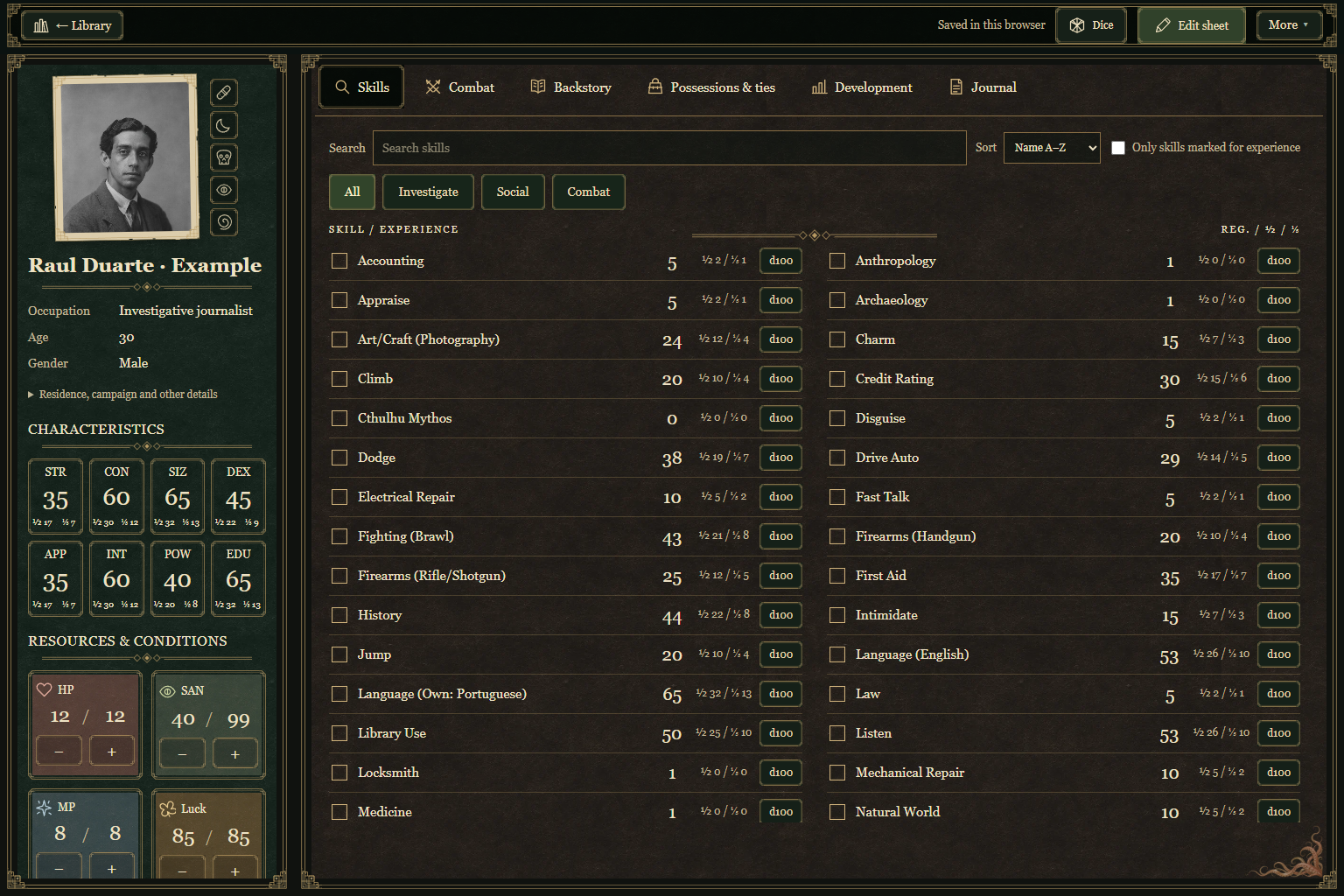
BROWSER INTERFACEInterface from the original application. The demo below saves data only in this browser.
Problem
Keeping a character sheet, references, journal, and dice rolls in separate places interrupts play when information is needed.
Implementation
An investigator-file interface brings together a character sheet, library, journal, and 3D dice. The demo runs in the browser and persists data through localStorage; it has no backend.
Transferable capabilities
Related information modeling, navigation between sections, local state, and visual hierarchy for quick scanning.
The local demo saves data in this browser, without a backend.
Independent, unofficial personal project. Call of Cthulhu is a trademark of Chaosium.